How to Understand Complex Regex with a Regex Explainer
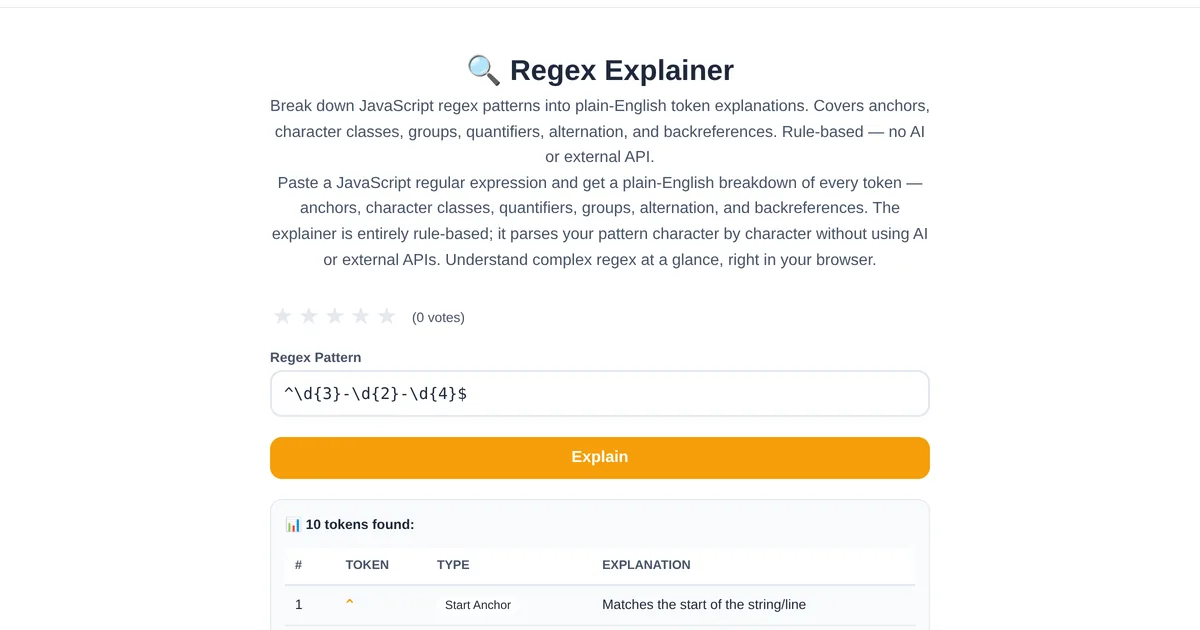
You open a codebase and find this: ^(?=.*[A-Z])(?=.*[a-z])(?=.*\d)(?=.*[@$!%*?&])[A-Za-z\d@$!%*?&]{8,}$. Your brain freezes. A regex explainer breaks this down token by token, translating each piece into plain English so you understand what the pattern actually matches.
How the explainer works
Paste any regex into the ToolStand Regex Explainer, and it produces a line-by-line breakdown. Each token is identified by type (anchor, quantifier, character class, group, lookahead, etc.) and explained in plain English. The example above becomes: "Start of string, positive lookahead for at least one uppercase letter, positive lookahead for at least one lowercase letter, positive lookahead for at least one digit, positive lookahead for at least one special character, match 8 or more allowed characters, end of string" — a password validation pattern.
Learning regex with the explainer
The explainer is an excellent learning tool. Write a regex in the Regex Tester to see what it matches, then paste it into the explainer to understand why. This pair — tester for practical results, explainer for conceptual understanding — accelerates regex learning dramatically compared to reading documentation alone.
Debugging inherited regex
Legacy codebases are full of regex written by developers who have left the team. Before modifying a regex you do not understand, run it through the explainer. Understanding what it does prevents accidentally breaking input validation, data extraction, or URL routing that depends on that pattern.
Explore the full collection of free tools at toolstand.io. Free, forever. No sign-up. No download. Just tools that work.