How to Validate YAML Files and Convert to JSON
YAML validator catches indentation mismatches, forbidden tabs, and unquoted boolean-like values like "NO"/"YES" before they break deployments. Safe validators prevent deserialization attacks — PyYAML's yaml.load() can execute code via !!python/object (CVE-2020-14343). Modern validation enforces YAML 1.2 semantics. For Docker Compose and Kubernetes, line-level reporting catches misplaced dashes and selector mismatches. Client-side validation keeps configs off the server.
YAMLs human-friendly syntax is also its greatest weakness. A single misplaced space changes the entire structure. Indentation that looks correct can be a mix of spaces and tabs that YAML parsers reject. A YAML validator catches these errors before they break your deployment or CI pipeline.
Common YAML pitfalls
Indentation errors. YAML requires consistent indentation — mixing 2-space and 4-space indents breaks parsing. Tab characters. YAML forbids tabs for indentation. If you copy YAML from a source that uses tabs, the validator flags every tab. Unquoted strings. Values like "true," "false," "yes," "no," and "null" are interpreted as booleans or nulls unless quoted. "Country: NO" (for Norway) becomes boolean false. Colon in values. URLs and times contain colons, which YAML interprets as key-value separators unless quoted.
Using the YAML Validator
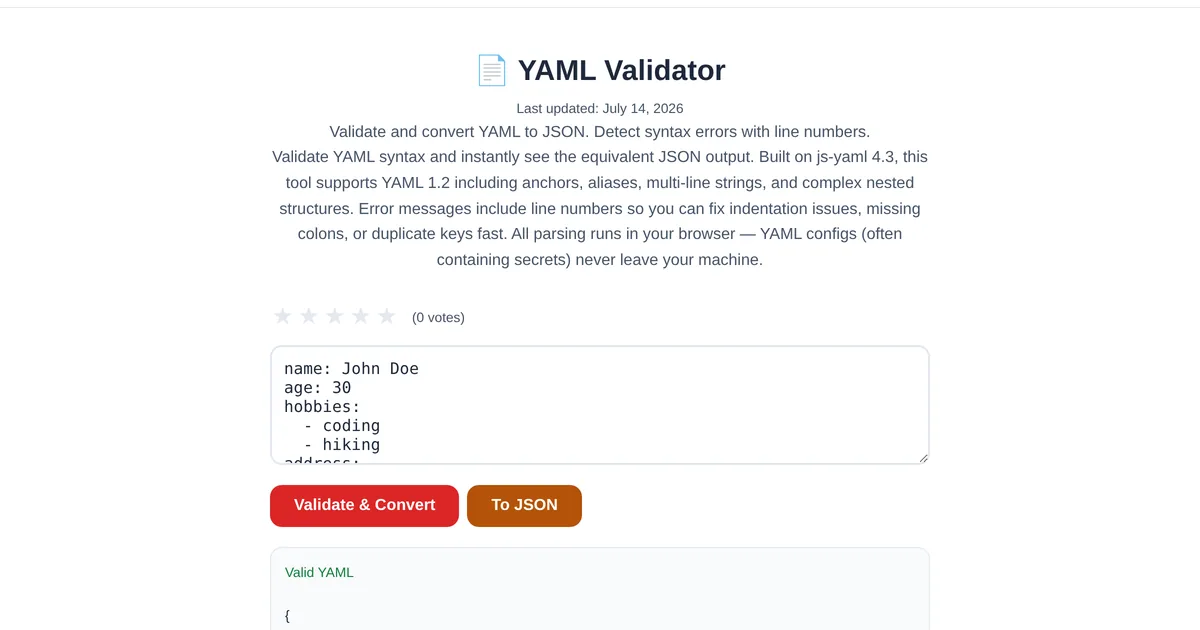
Paste your YAML into the ToolStand YAML Validator. It parses the document and either confirms valid YAML or reports the exact line and column of the first error with a description of what went wrong. Valid YAML is displayed as formatted JSON, making it easy to verify the data structure. The JSON output can be copied directly or converted back to YAML using the bidirectional converter.
YAML to JSON conversion
Many tools and APIs prefer JSON over YAML. The validator doubles as a converter — validate your YAML and get JSON output in one step. For more complex conversions, the JSON Formatter can beautify the output, and the JSON Schema Generator can create a validation schema from the resulting JSON structure. Much like decoding JWT tokens, converting between formats gives you visibility into data that would otherwise remain opaque.
YAML deserialization: the security risk nobody talks about
Most YAML validators check syntax. Few warn you about deserialization — the far more dangerous class of YAML bugs. Python's PyYAML library, still the most popular YAML parser, has a documented remote code execution vector: yaml.load() with untrusted input. An attacker who controls a YAML file can inject !!python/object tags that instantiate arbitrary Python objects, leading to full server compromise. CVE-2020-14343 and CVE-2017-18342 are both PyYAML deserialization CVEs with CVSS scores above 9.0. The fix is simple: use yaml.safe_load() or yaml.SafeLoader, which strip all object-tag processing. But a client-side validator like ToolStand's YAML Validator adds another layer of defense — your config never leaves your browser, so there's no server to exploit in the first place. If you're building CI/CD pipelines that accept user-submitted YAML, pair a JSON Schema with schema validation to reject unexpected keys before they reach any parser.
The Norway Problem: when YAML lies about your data
In YAML 1.1 (the default in most parsers including PyYAML and Ansible), the type coercion system is aggressively helpful — too helpful. This created what the community calls the "Norway Problem": the country code NO is silently converted to boolean false. Here's the full list of dangerous values YAML 1.1 will reinterpret: NO, N, No → false; YES, Y, Yes → true; ON, OFF → bool; null, Null, ~ → null; 0x-prefixed strings → hex integers; sexagesimal like 1:23:45 → 5025; .inf, .nan → float. Each of these silently mangles your data with no error message. The solution: always quote string values that could be ambiguous (“NO”, “YES”, “ON”). YAML 1.2 disables most of this coercion by default, but adoption is slow. A JSON formatter can help — convert your YAML to JSON and check that boolean-like values survived as strings. For bulk data pipelines, the CSV-to-JSON converter avoids YAML coercion entirely.
Docker Compose and Kubernetes debugging
If you work with Docker Compose or Kubernetes, you've probably debugged a YAML config that “looks right” but fails silently. Here are the most common real-world offenders: Missing dash in ports: ports: “8080:80” (string) instead of ports: - “8080:80” (list). Equals instead of colon in environment: environment: VAR=value (invalid YAML) instead of environment: VAR: value. Unquoted colon in volumes: volumes: ./data:/data breaks because the colon is a YAML key-value separator. apiVersion mismatch: using apps/v1beta1 when the cluster expects apps/v1. selector.matchLabels mismatch: the Deployment's selector must match the Pod template labels exactly. CPU unit confusion: 100m (100 millicores = 0.1 CPU) is not the same as 0.1 (0.1 CPUs). A validator with line-level error reporting catches the syntax issues immediately; the semantic ones require understanding the format validation workflow for your target platform.
Frequently Asked Questions
Why does my valid YAML fail in production?
Your YAML may be syntactically valid but semantically wrong. Common causes: YAML 1.1 type coercion turning "NO" into false, missing list dashes in Docker Compose ports, selector mismatches in Kubernetes configs, or using deprecated apiVersions. Always validate against the target platform's schema, not just the YAML spec.
What does "cannot start any token" mean in YAML?
This is the most common YAML error (200K+ Stack Overflow views). It means the parser hit a character it can't interpret at the start of a line — usually a tab character used for indentation (YAML forbids tabs), a stray special character, or inconsistent indentation (mixing 2-space and 4-space). The line number in the error tells you exactly where to look.
Is yaml.load() safe to use?
No. PyYAML's yaml.load() without a Loader argument can execute arbitrary code via !!python/object tags (CVE-2020-14343, CVSS 9.8). Always use yaml.safe_load() with untrusted input. Client-side validators like ToolStand's YAML Validator avoid the server-side risk entirely — your data stays in the browser.
How do I validate YAML in a CI/CD pipeline?
Use a command-line YAML linter like yamllint for syntax checking, then validate against a JSON Schema if your config has a known structure. For Kubernetes configs, kubectl apply --dry-run=client catches schema errors. For Docker Compose, docker compose config validates and normalizes. Run these checks before deployment to catch config errors before they reach production.
Can YAML anchors and aliases cause validation issues?
Yes. Anchors (&anchor) and aliases (*anchor) reduce duplication but can create unexpected data structures when merged. The merge key (<<:) is not part of the YAML 1.2 spec but is widely supported. Some validators can't resolve merge keys, producing misleading error messages. When in doubt, validate the expanded (resolved) YAML rather than the anchored version.
What is the "Norway Problem" in YAML?
The Norway Problem refers to YAML 1.1's type coercion turning unquoted country codes and other short strings into booleans: "NO" becomes false, "YES" becomes true. This affects country codes, state abbreviations, and configuration flags. The fix is to quote any value that could be misinterpreted — "NO", "YES", "ON", "OFF", and similar. YAML 1.2 eliminates most of this coercion but adoption is still limited.
Explore the full collection of free tools at toolstand.io. Free, forever. No sign-up. No download. Just tools that work.